The best customer feedback analysis software reads every review and support ticket you have and tells you which recurring problem to fix first. Collection tools are not analysis tools - and most of what's marketed as "feedback analytics" is really just review display.
If you run an ecommerce store or a growing brand, you already have the raw material: hundreds - maybe thousands - of product reviews sitting in Judge.me or Yotpo, and dozens of support tickets a week closing in Gorgias or Zendesk. Customers are telling you exactly what's working and what isn't.
But when someone asks "what are our top customer complaints this quarter?" the answer is usually a shrug, a gut feeling, or an afternoon lost in a spreadsheet. The problem isn't a lack of feedback. It's that most tools are built to collect feedback, not analyze it. That's the gap customer feedback analysis software fills - software that reads everything at once, surfaces the patterns, and points you at the fix.
This guide compares the field honestly, grouped by who each tool is actually for: the review-channel-native tools built for small and growing brands, the mid-market research platforms, and the enterprise voice-of-customer systems - including which ones are out of reach without a six-figure budget, and one that's quietly been folded into a bigger platform.
What Is Customer Feedback Analysis Software?
Customer feedback analysis software is any tool that takes the unstructured feedback you already collect - reviews, support tickets, survey responses, social comments - and turns it into something you can act on. Instead of showing you one review at a time, it reads across hundreds or thousands at once and groups them into themes, so you can see which problems are growing, which are fading, and which deserve your attention this week.
The critical distinction is collection versus analysis. A review app (Judge.me, Yotpo, Okendo) gathers reviews and displays them on your storefront. A helpdesk (Gorgias, Zendesk) captures and routes tickets. Both are collection tools - they accumulate feedback but leave the synthesis to you. Analysis software sits on top of that data and answers the harder question: across everything customers said this month, what are the three things you should actually do?
How AI Changed Feedback Analysis
For years, "analysis" meant keyword counting and a positive/negative score. Knowing "shipping" appears in 40 reviews doesn't tell you whether customers are angry about speed, packaging, or the carrier. AI customer feedback analysis changed that: modern tools read each piece of feedback in context, cluster it into specific themes ("box arrived crushed," "sizing runs small on the summer line"), and connect the same issue across channels. The shift is from "78% positive" - nearly useless - to "43 reviews and 11 tickets flag the same sizing problem on three SKUs, up 30% this month." That's the difference between data and a decision. An AI product review analysis tool does exactly this across your review data, tying each theme to the SKU behind it.
What to Look For in Feedback Analysis Software
Before comparing specific tools, it's worth being clear about what matters and what doesn't when you're evaluating this category as a small or growing brand.
Theme Extraction Over Simple Sentiment
Knowing that 78% of your reviews are "positive" tells you almost nothing actionable. What you need is theme extraction - the ability to identify that 43 reviews mention sizing, 28 mention shipping delays, and 15 flag a specific quality problem with your summer collection. (We wrote a full guide on how to categorize customer feedback if you want to go deeper.) Good tools group feedback into themes automatically. Great ones let you drill into the actual reviews behind each theme.
Multi-Source Support
Reviews are one channel. Support tickets are another. If a product has a sizing problem, it shows up in both - but most tools only look at one. The tools that analyze reviews and tickets together catch patterns earlier and with more confidence.
Ecommerce-Specific Context
Generic text-analysis platforms built for SaaS teams or enterprise call centers don't understand ecommerce. They don't know what a SKU is, they don't think in product lines, and they don't understand that a 4-star review mentioning "runs small" is more actionable than a 1-star review saying "took too long."
Accessible Pricing
Enterprise voice-of-customer platforms do excellent analysis - at tens of thousands of dollars a year. That's not realistic for most growing brands. The clearest dividing line in this whole market is price, which is exactly why we group tools by buyer tier below.
A Feedback-to-Action Workflow
Most tools stop at a dashboard - and that's the real gap. The software worth paying for tells you what the data means and what to do next, so an insight becomes a ticket, a fix, or a customer response instead of one more chart nobody acts on. We cover this loop in its own section below, because it's the step almost everyone drops.
Integration Depth and Free-Trial Reality
Two practical checks. First, integration depth: a tool that connects to your exact review app and helpdesk in a few clicks beats a more powerful one that needs an engineer and a security review. Second, free-trial reality: a demo-gated tool with no self-serve trial means committing to a sales cycle before you've seen it touch your data - fine for enterprise, friction for a small team that just wants to try it this week.
How We Picked These Tools
A disclosure up front: Pattern Owl is our product. We're not going to pretend otherwise, and we're not going to rank it #1 in every row. Our lens is small and growing ecommerce brands - teams that already collect reviews and tickets, don't have enterprise budgets, and want feedback to drive decisions. We name where Pattern Owl loses, we put enterprise tools in their accurate (out-of-reach-for-SMB) tier rather than pretending they compete for the same buyer, and we hedge every competitor price we can't verify against a published source.
How we evaluated: we use Pattern Owl daily on real ecommerce data, and we assessed the others against their published docs, pricing pages, and hands-on trials where a self-serve trial existed. Pricing verified June 2026 - vendor pricing changes often, so check the source before you buy.
One currency check that doubles as a quality signal: any "best feedback analysis tools" list that still names MonkeyLearn as a live option is out of date. Medallia acquired MonkeyLearn in February 2022 and folded it into its own platform - it's no longer sold as a standalone product, and monkeylearn.com now redirects to medallia.com. We check the facts, so it gets a tombstone, not a row in the table.
Best Customer Feedback Analysis Software, by Buyer Tier
There is no single "best" tool - there's a best tool for your tier. We group the field three ways: review-channel-native software for SMB and growing ecommerce brands, mid-market and research platforms, and enterprise voice-of-customer systems. Most readers should buy from the first group; the rest is context so you know where the ceiling is.
For SMB and Growing Ecommerce Brands
This is where most growing brands should shop. These tools are review-channel-first, self-serve, and priced for teams without procurement departments.
Judge.me Analytics - Best for Early-Stage Stores Watching Spend
What it does: Judge.me is primarily an affordable review collection app, but its built-in analytics provide basic feedback insights - review volume trends, star-rating distributions, and some keyword analysis from review text.
Strengths: If you already use Judge.me for reviews (and many stores do - it's one of the most widely installed review apps on Shopify), the analytics come included. The price-to-value ratio is hard to beat. Works across Shopify, BigCommerce, WooCommerce, and others. Solid at the basics: which products get the most reviews, how ratings trend, which keywords appear most.
Limitations: The analytics are basic next to dedicated analysis tools. No AI theme extraction, no cross-channel analysis, no support-ticket integration. Keyword counting isn't true theme detection - knowing "shipping" appears in 40 reviews doesn't tell you whether it's about speed, packaging, or carrier issues. Fine for a small catalog, won't scale to hundreds of products.
Pricing: Free plan includes basic analytics. Awesome plan at $15/month unlocks the full analytics.
Best for: Early-stage stores with small catalogs already on Judge.me that want basic insights without adding a tool or cost.
Okendo - Best for Shopify Brands Wanting Reviews and Insights in One
What it does: Okendo combines review collection with solid sentiment and attribute analysis. It auto-tags reviews with themes, extracts marketing-ready quotes, and shows which product attributes customers talk about most and how sentiment tracks over time.
Strengths: The theme tagging is surprisingly good for a review collection platform, and the attribute analysis is built for ecommerce (quality, sizing, shipping) rather than generic positive/negative buckets. Clean Shopify integration with survey-style review forms that produce more structured data.
Limitations: Shopify-only. The analysis is tightly coupled to Okendo's own review data, so you can't bring in reviews from other sources or any support-ticket data. If you use a separate helpdesk, you're still seeing a partial picture, and the theme extraction is basic compared with dedicated analysis tools.
Pricing: Essential starts at $19/month, Growth at $119/month, Power at $299/month (where most analytics unlock).
Best for: Shopify stores that want a review collection app with better-than-average analytics built in.
Pattern Owl - Best for Connecting Feedback to Business Decisions
What it does: Pattern Owl is customer feedback analysis software built for ecommerce brands. It connects to your existing review platforms (Judge.me, Yotpo, RaveCapture) and helpdesks (Gorgias, eDesk, Zendesk), pulls in your data, and uses AI to extract themes across all of it at once. It then shows which products need attention, what patterns are forming, and recommends a specific next step for each one. If you sell on Shopify and collect reviews in Judge.me, Loox, or Yotpo, Shopify review analysis is the same engine pointed at that stack.
Strengths: It reads reviews and support tickets together, so you get the full picture instead of two disconnected views. The theme extraction runs across every source at once - a sizing complaint that shows up in both reviews and tickets gets counted and prioritized as one issue, not two. In our own use, this collapsed a recurring chore: we used to export reviews into one tab and tickets into another, then eyeball both for overlap. Now the same sizing complaint from both channels lands as one line, with its combined count, in a single ranked list. Product-level analysis tells you which specific products have problems. And it doesn't stop at a chart: it explains what the data means and recommends next steps, which is the feedback-to-action loop most tools skip. Works with Shopify, BigCommerce, WooCommerce, or any standalone store. It is free to start with a self-serve trial - no demo required.
Limitations: It doesn't collect or display reviews - you still need Judge.me, Yotpo, or another app for that. The integration list is growing but smaller than the established platforms. No marketplace data (Amazon, eBay) yet. And it is a separate tool alongside your review and helpdesk apps, not a replacement for either.
Pricing: Free to start. Self-serve trial, no demo required.
Best for: SMB and growing ecommerce brands that already collect reviews and tickets and want one place that connects what customers say to what's actually going right or wrong in the business.
See your reviews and tickets in one ranked list - free
Yotpo - Best for Large Brands Already Invested in the Platform
What it does: Yotpo is primarily a review collection and display platform, but its higher tiers add analytics - sentiment breakdowns, attribute-level feedback (fit, quality, ease of use), and Reviews Atlas for competitive benchmarking.
Strengths: If you already pay for Yotpo's reviews, loyalty, or SMS products, the analytics live inside your existing workflow. The attribute analysis is genuinely useful for apparel and beauty brands where fit and feel dominate feedback. Deep Shopify integration, plus BigCommerce and WooCommerce.
Limitations: The meaningful analytics sit in the higher tiers (the Premium plan runs around $799/month), and they're secondary to Yotpo's core business of collection and UGC. If you only need analysis, you're paying for a lot you won't use.
Pricing: Free tier for basic reviews. Paid plans start at $79/month (Starter); the analytics-heavy Premium tier runs around $799/month, with Enterprise custom.
Best for: Brands already on Yotpo's paid plans that want analytics without adding another tool.
For Mid-Market and Research Teams
These tools cost more and aim at larger feedback volumes or dedicated research use cases. Worth a look if you've outgrown the SMB tier or your primary need is competitive and category intelligence.
Kimola - Best for Competitive Analysis Across Marketplaces
What it does: Kimola scrapes public reviews from Amazon, Trustpilot, Yelp, Etsy, Google, and other platforms, then uses AI to classify them by theme and sentiment. It generates executive summaries and can draft product descriptions from what customers say.
Strengths: The scraping is the killer feature - you can analyze competitor reviews without access to their accounts, and it covers marketplaces (Amazon, Etsy) most other tools here don't touch. The AI summaries are a fast way to take a category's pulse. Useful for product research and competitive intelligence, not just your own feedback.
Limitations: Because it scrapes public data, it doesn't integrate with your private review or helpdesk platforms - no Judge.me or Gorgias data directly. The analysis is broad but not deep: good for understanding a category, weaker for the granular "which of my 200 products needs attention this week" question.
Pricing: The Standard plan is $179/month, with a free Starter and a $49/month Basic tier below it and a $359/month Business plan above; separate pricing for survey and research tools.
Best for: Brands doing product research, competitive analysis, or marketplace monitoring across platforms they don't own.
SentiSum - Best for Support-Heavy Brands
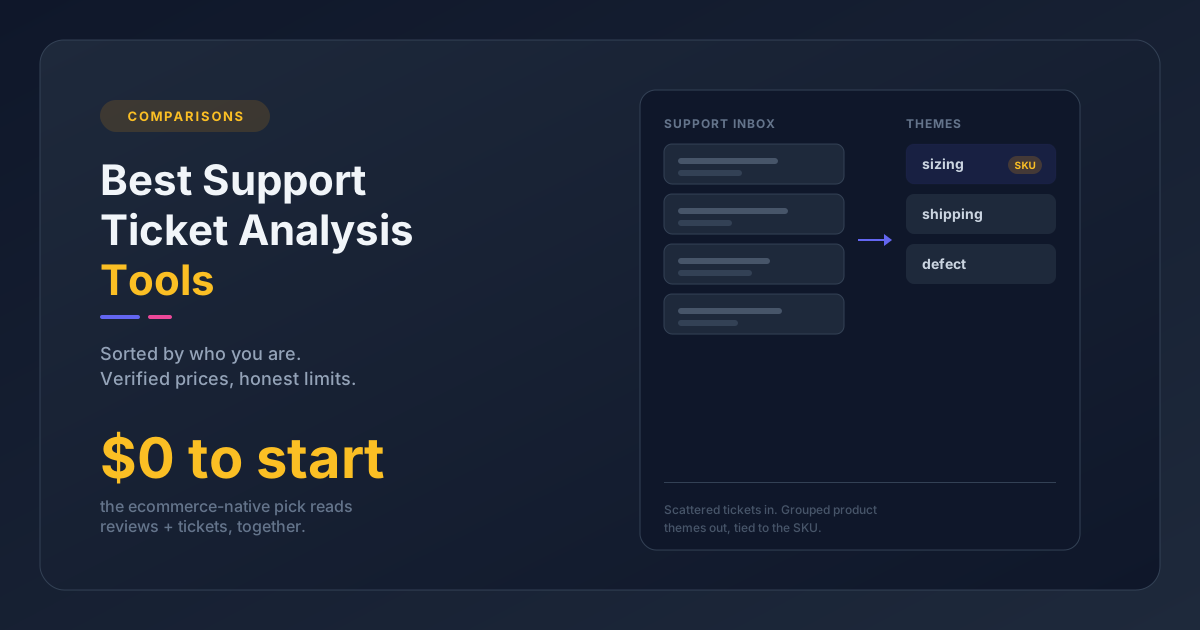
What it does: SentiSum uses AI to auto-tag and analyze customer feedback - primarily support conversations, but also public reviews from sites like Trustpilot, G2, and app stores. It works with helpdesks like Zendesk, Intercom, and Freshdesk to categorize tickets by topic, detect sentiment, and surface trending issues in real time.
Strengths: Deeply embedded in the support workflow. It doesn't just analyze after the fact - it tags tickets as they arrive, so your team can route and prioritize live. The topic taxonomy is customizable and learns from your data, and it's strong at catching emerging issues early. Good dashboards for CX managers who report on support trends. Like Pattern Owl, it reads support tickets and reviews together - though it pulls reviews from public sites (Trustpilot, G2, app stores) rather than connecting to the ecommerce review apps you already run.
Limitations: Support-first and built for enterprise CX teams. It reads public review sites but doesn't connect to the ecommerce review apps most brands run on - Judge.me, Yotpo - so if those are your primary channel (as they are for many ecommerce brands), it's analyzing a different slice of your feedback. Pricing is well out of small-brand range.
Pricing: Starts around $3,000/month (as of mid-2026). Primarily targets mid-market and enterprise CX teams.
Best for: Brands with high ticket volume (100+/week) that need real-time issue detection and support analytics. (If you're leaning this way, our guide to AI ticket tagging covers the workflow in detail.)
Revuze - Best for Market Research and Category Intelligence
What it does: Revuze uses generative AI to analyze online reviews across major ecommerce and retail sites. It aggregates review data at the category level, tracks sentiment shifts over time, and benchmarks across brands.
Strengths: The breadth is impressive - it pulls reviews from Amazon, Walmart, Target, Best Buy, Sephora, and dozens more. The category-level analysis is genuinely useful for understanding how your products compare or spotting whitespace in a market. Tracks price-tier dynamics and bestseller correlations alongside sentiment.
Limitations: Built for market-research teams and brand managers at consumer-goods companies, not store operators. The workflow assumes you're analyzing a category, not managing your own store's feedback, and it doesn't integrate with your review platform or helpdesk. Pricing reflects the enterprise research positioning.
Pricing: Custom enterprise pricing; third-party sources cite entry contracts around $30,000/year.
Best for: Consumer brands doing market research, competitive intelligence, and category analysis at scale.
For Enterprise Voice-of-Customer Programs
These are the top of the market: powerful, broad, and priced for organizations with dedicated CX programs, procurement, and IT governance. We include them so you know where the ceiling is - but for almost every SMB and mid-market brand, they're context, not a real option. Expect custom contracts and sales cycles, and budgets ranging from roughly $25,000 to well into six figures a year.
Chattermill - AI-Native VoC for High-Volume Teams
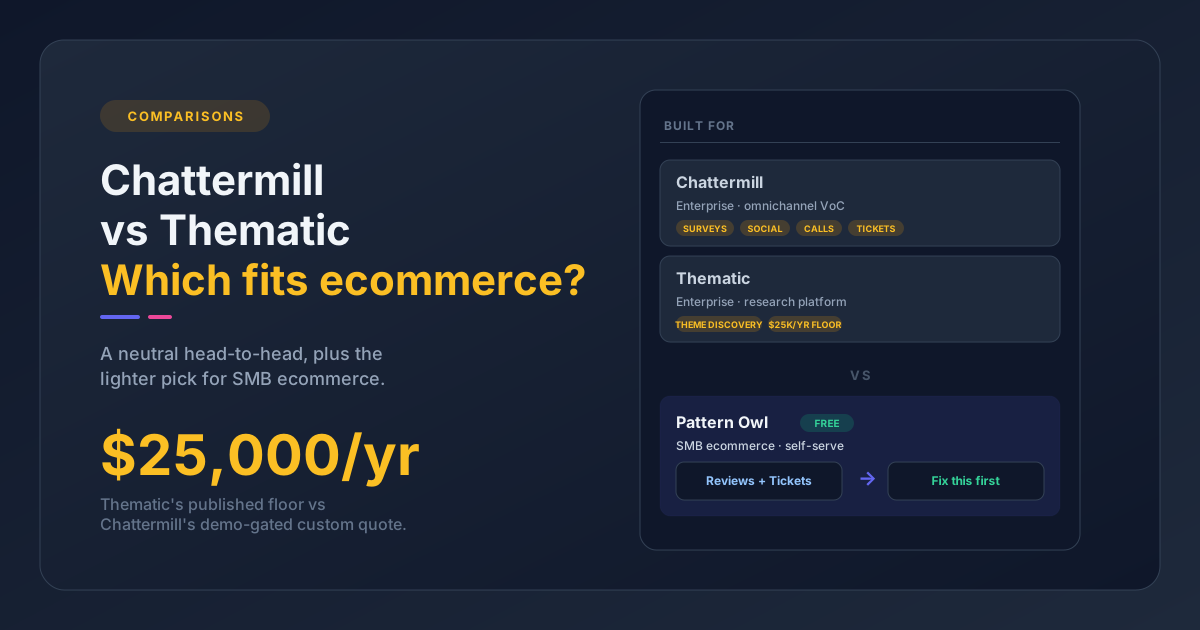
What it does: An AI-native voice-of-customer platform that unifies feedback across surveys, reviews, support tickets, social, and calls into one analytics layer. Customers include Uber, H&M, and HelloFresh.
Strengths: Genuinely omnichannel, with strong analytics for CX, Insights, and Product teams drowning in feedback volume.
Limitations: Chattermill recommends a minimum of roughly 5,000 feedback items per month and says it isn't a fit below that; it's sales-led and demo-gated with no self-serve entry, and has no review-channel-first angle. Effectively out of reach for small merchants.
Pricing: Custom / enterprise. Pro, Team, and Enterprise tiers exist, but no public dollar amounts - everything routes through a sales demo.
Best for: Mid-market and enterprise CX, Insights, and Product teams with 5,000+ feedback items per month.
Thematic - Unsupervised Theme Discovery for Research Teams
What it does: Layers AI thematic analysis on top of your existing survey, review, and ticket data. Its differentiator is unsupervised theme discovery - it finds themes in open-ended feedback without predefined categories - and quantifies them for executive reporting.
Strengths: Excellent for turning large volumes of open-ended responses into quantified themes leadership can act on; a strong add-on layer for teams that already have a survey or review platform.
Limitations: Not ecommerce-specific - general-purpose across CX, research, and employee feedback, with no dedicated ecommerce vertical. The price floor prices SMB out.
Pricing: Published Foundation tier at $25,000/year (up to 25,000 comments, 3 datasets); Enterprise is custom above that.
Best for: Enterprise CX and research teams quantifying open-ended feedback for exec reporting.
Dovetail - Customer Intelligence for Product and UX Research
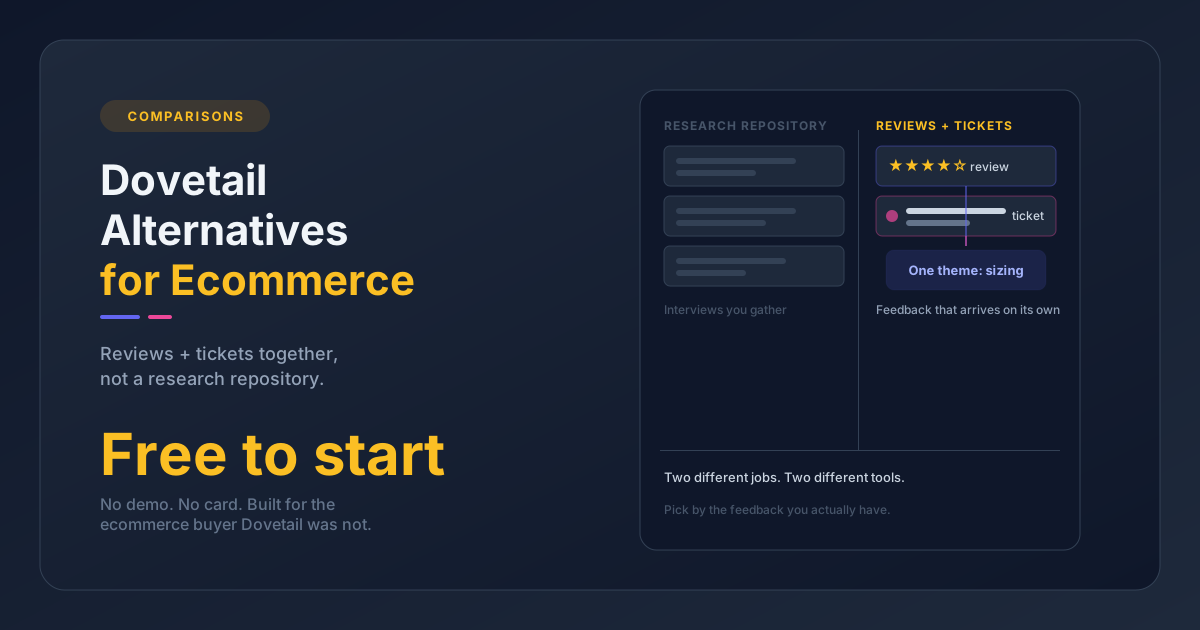
What it does: A qualitative research repository evolving toward a broader customer-intelligence hub. Product, design, and UX teams use it to centralize interviews, transcripts, survey responses, tickets, and app reviews; newer AI dashboards convert qualitative data into charts. Atlassian is a featured customer with a published case study; its broader customer base includes names like Notion and Toyota.
Strengths: Among the strongest for research-heavy teams that need to centralize and synthesize qualitative data rigorously.
Limitations: Not ecommerce-specific - the fit is product/UX/research teams at tech and enterprise companies. Most ecommerce teams would find it over-engineered for review analysis and under-tooled for VoC automation. It's also mid-repositioning, so the product is a moving target.
Pricing: Free plan for individual researchers (limited); team and enterprise pricing is custom. (A mid-tier "Professional" plan has been cited by third parties but isn't clearly published - treat any specific per-seat figure as unverified.)
Best for: Product, design, and UX research teams centralizing qualitative customer data.
Medallia and Qualtrics - Enterprise Experience Management
These two sit at the top of the market and usually appear together in enterprise RFPs - both are named Leaders in Gartner's VoC Magic Quadrant. Medallia is a Fortune-500-scale experience-management platform spanning customer, employee, and product feedback across surveys, digital, social, calls, and contact-center data, operating at millions of users weekly (it also absorbed MonkeyLearn's technology after 2022). Qualtrics is a full XM platform - customer, employee, product, and brand - positioned as an experience-management operating system, with deep roots in enterprise, higher education, and government.
Both do excellent, broad analysis. Neither is for SMB ecommerce: they're inaccessible on both price and implementation complexity, custom-priced with no public rate card (third-party benchmarks run well into six figures), and gated behind procurement and a sales cycle. One honest note: Medallia has been through notable leadership and organizational change recently, so the enterprise tier carries organizational risk alongside the cost.
Best for: Large enterprises with dedicated CX programs, procurement, and IT governance.
MonkeyLearn - No Longer a Standalone Product (Tombstone)
Status: No longer sold on its own. MonkeyLearn was a no-code text-analytics platform for SMB and mid-market teams. Medallia acquired it in February 2022 and folded its technology into Medallia's own platform; monkeylearn.com now 301-redirects to medallia.com. We flag it because any "best feedback analysis software" list still ranking MonkeyLearn as a live standalone tool is out of date - a fair test of whether a comparison was actually checked this year.
Side-by-Side Comparison
Here's how the SMB and mid-market tools stack up across the features that matter most. Pattern Owl and SentiSum both read support tickets and reviews together - the difference is buyer and review source: SentiSum is an enterprise CX platform (from around $3,000/month) that pulls public review sites, while Pattern Owl (free to start, self-serve) connects the ecommerce review apps and helpdesks a growing brand actually runs on. (The enterprise VoC platforms above are omitted here; they're broader, custom-priced, and out of scope for the buyer this table serves.)
| Feature | Judge.me | Okendo | Pattern Owl | Yotpo | Kimola | SentiSum | Revuze |
|---|---|---|---|---|---|---|---|
| Tier | SMB | SMB | SMB | SMB-to-mid | Mid-market | Mid-market | Mid-to-enterprise |
| Best for | Budget basics | Shopify + insights | Feedback-to-decision | Large brands on Yotpo | Competitive research | Support analytics | Market research |
| Theme extraction | Keywords only | Basic themes | Deep cross-source | Attribute-level | Scrape-based | Real-time tagging | Category-level |
| Reviews | Own reviews | Own reviews | Connected (Judge.me, Yotpo, RaveCapture) | Own reviews | Public scraped | Public sites | Public scraped |
| Support tickets | No | No | Yes | No | No | Yes | No |
| Ecommerce-specific | Yes | Yes (Shopify) | Yes | Yes | Partial | No | Partial |
| Platform support | Shopify, BigCommerce, WC | Shopify only | Shopify, BigCommerce, WC, standalone | Shopify, BigCommerce, WC | N/A (scrapes) | N/A (helpdesks) | N/A (scrapes) |
| Recommendations | No | No | Yes | No | Summaries | Trend alerts | Benchmarks |
| Starting price | Free ($15 full) | $19 (analytics: $299) | Free to start | Starter $79 (Premium $799) | $179 (Standard) | ~$3,000 | Custom (~$30k/yr) |
Which Tool Fits Your Situation?
There's no single best tool - the right choice depends on where you are and what you're actually trying to solve.
You're just starting out and budget is tight. Start with Judge.me's built-in analytics. Basic review insights for $15/month or less, and you can add a dedicated analysis tool later as you grow.
You're on Shopify and want one platform for reviews and insights. Okendo gives you collection plus better-than-average analytics in a single app. You'll outgrow the analytics as your catalog scales, but it's a solid starting point.
You're already on Yotpo's paid plans. Use Yotpo's analytics first - you're paying for them, and the attribute-level analysis is useful. Add a separate tool only if you need cross-channel insight (reviews + tickets together) or deeper theme extraction.
Your support team is your biggest feedback channel. SentiSum is built for this. If you handle 100+ tickets a week and need real-time issue detection, the investment is worth it.
You need competitive intelligence or marketplace research. Kimola for scraping and analyzing public reviews across platforms, or Revuze for enterprise-grade category analysis and benchmarking.
You want feedback to actually drive product and business decisions. Pattern Owl sits on top of your existing review and helpdesk tools, reads everything together, and tells you what's going right, what's going wrong, and what to do about it - and it is free to start, no demo or sales call.
You have 5,000+ feedback items a month and a procurement process. You're in enterprise VoC territory - Chattermill, Medallia, or Qualtrics (and Thematic if your need is quantifying open-ended survey data for exec reporting). Expect custom pricing, a sales cycle, and a budget that starts in the tens of thousands per year. For most readers of this guide, that's the wrong tier.
From Insight to Action
Every tool in this space can hand you a dashboard. The ones worth paying for close the loop from insight to action - and that loop is where most of the value (and most of the abandoned subscriptions) actually live.
It runs in four steps. Insight: the software surfaces a real pattern - "11 tickets and 43 reviews flag the same sizing problem on three SKUs this month." Ticket: that insight becomes a tracked task for the right owner instead of a chart someone glances at. Fix: the team ships the change - a product-page note, a supplier conversation, a packaging tweak. Response: you close the loop with the customers who raised it, which is the part that turns a complaint into loyalty.
This is exactly why reading reviews and tickets together matters: the strongest signal to act usually shows up in both channels at once. If you're building this muscle, three guides go deeper - how to turn support tickets into product improvements, how to stand up a voice of customer program, and how to automate review analysis so the insight step doesn't depend on someone remembering to look. The tool's job is to make the first step automatic; your job is to wire it to the next three.
Frequently Asked Questions
What is the best customer feedback analysis software?
There's no single best tool - it depends on your tier. For small and growing ecommerce brands that want reviews and support tickets analyzed together, Pattern Owl is free to start and self-serve, with no enterprise pricing or sales call to get going. For very high-volume teams with procurement, enterprise VoC platforms like Chattermill, Medallia, or Qualtrics fit better but cost far more.
What is the best customer feedback analysis tool for small ecommerce brands?
On a tight budget, Judge.me's built-in analytics ($15/month) cover basic review insights. Once you outgrow keyword-level analysis and need theme extraction across reviews and support tickets, Pattern Owl is free to start and doesn't lock analysis behind enterprise tiers.
Can I analyze reviews and support tickets together?
Pattern Owl and SentiSum both do. Pattern Owl imports from Judge.me, Yotpo, RaveCapture, Gorgias, eDesk, and Zendesk and extracts themes across all of them together; SentiSum reads support tickets plus public review sites (Trustpilot, G2, app stores), aimed at enterprise CX teams. Most other tools analyze a single channel, which means you're always working from a partial picture.
Do I need a separate review collection tool?
Usually yes. Most analysis software - Pattern Owl included - reads the feedback you already collect but doesn't gather or display reviews itself. You'll still need a collection app like Judge.me, Yotpo, or Okendo to capture reviews on your storefront. Analysis software sits on top of that data; it doesn't replace it.
Can these tools analyze Google or Trustpilot reviews?
Some can. Scraping-based tools like Kimola and Revuze pull public reviews from Amazon, Trustpilot, Google, and major retailers, which is useful for competitive research. Integration-based tools like Pattern Owl read the platforms you connect (Judge.me, Yotpo, RaveCapture) rather than scraping public sites. Match the approach to whether you want your own data or the broader market.
How much does customer feedback analysis software cost?
It ranges from free (Judge.me basic analytics) to enterprise contracts in the tens of thousands per year. Pattern Owl is free to start (self-serve, no demo); Kimola starts around $179/month. Thematic publishes a $25,000/year Foundation tier; Chattermill, Medallia, and Qualtrics are custom-priced with no public rate card.
What is the difference between review collection tools and feedback analysis software?
Collection tools (Judge.me, Yotpo, Okendo) gather and display reviews on your storefront. Analysis software reads your existing feedback - from review platforms, helpdesks, or uploads - and uses AI to extract themes, detect patterns, and tell you what's going right and wrong. Some platforms do both, but the analysis depth varies significantly.
What about enterprise voice-of-customer tools like Medallia and Qualtrics?
They do excellent analysis across many channels, but they're built for large organizations with dedicated CX programs, procurement, and custom pricing in the tens of thousands to six figures a year. For most SMB and mid-market ecommerce brands they're overkill on both price and complexity - which is why this guide leads with review-channel-native tools instead.
Is MonkeyLearn still a good option?
No - MonkeyLearn is no longer sold as a standalone product. Medallia acquired it in 2022 and folded it into its own platform; monkeylearn.com now redirects to medallia.com. Any comparison still listing it as a live standalone tool is out of date. If you liked the no-code text-analytics approach, modern AI feedback analysis tools cover that ground.
Choosing the Right Feedback Analysis Software
Most growing brands have more feedback than they know what to do with. The gap isn't collection - it's analysis.
If you're reading reviews one by one and tracking themes in a spreadsheet, any tool in your tier will save you hours. The real question is which one matches where your business is today and what insight you actually need - which is why the best customer feedback analysis software for you depends far more on your tier than on any single feature.
Start with what you already have. If your review app has analytics, use them. If you've outgrown those basics and want to understand the patterns across everything your customers are telling you, that's when a dedicated analysis tool earns its keep.
The worst choice is doing nothing. Your customers are already telling you what's broken and what to build next - the only question is whether you're set up to hear it.
Connect your review app and helpdesk, and Pattern Owl will show you the top themes free, in minutes.